
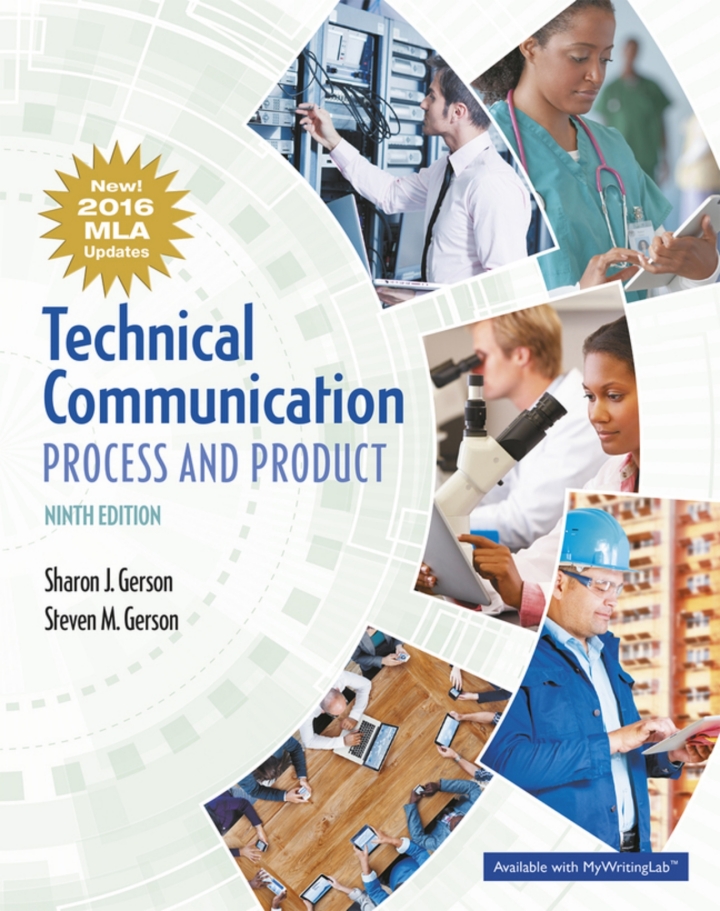
Technical Communication Process and Product MLA Update 9th Edition by Gerson TEST BANK
Original price was: $60.00.$30.00Current price is: $30.00.
Test Bank for Technical Communication Process and Product MLA Update, 9th Edition, Sharon J. Gerson, Steven M. Gerson, ISBN-10: 0134678869, ISBN-13: 9780134678863 To get more information about this please send us E-mail to smtb7000@gmail.com
Description
📘 Technical Communication: Process and Product, MLA Update – 9th Edition
Authors: Sharon J. Gerson & Steven M. Gerson
ISBN-10: 0134678869 | ISBN-13: 9780134678863
Unlock the essentials of professional writing, workplace communication, and digital media with Technical Communication: Process and Product, MLA Update, 9th Edition. This comprehensive guide equips students and professionals with tools for effective technical writing, research, document design, and persuasive communication.
🌟 Core Concepts of Technical Communication
-
An Introduction to Technical Communication
-
Overview of technical communication, its purpose, and applications.
-
Icon Suggestion: Open book 📖
-
-
Digital Communication
-
Adapting communication to digital platforms.
-
Color Theme: Light blue for technology and clarity.
-
-
The Communication Process
-
Understanding sender, receiver, message, and feedback.
-
Visual: Flowchart diagram of communication stages.
-
-
Objectives in Technical Communication
-
Defining goals for clarity and impact.
-
Icon: Target 🎯
-
-
Audience Recognition
-
Tailoring messages to specific readers.
-
Color: Green to represent engagement and growth.
-
⚖️ Ethics and Design
-
Ethical Considerations
-
Professional and ethical responsibilities in communication.
-
Icon: Scales of justice ⚖️
-
-
Document Design
-
Layout, readability, and professional appearance.
-
Visual: Page mockups or design templates.
-
-
Visual Aids
-
Using charts, graphs, and diagrams to enhance understanding.
-
Color: Orange for attention and clarity.
-
📝 Workplace Communication
-
Routine Correspondence
-
Writing emails, memos, and letters effectively.
-
Icon: Envelope 📧
-
-
The Job Search
-
Résumés, cover letters, and professional applications.
-
Visual Idea: Checklist graphic.
-
-
Communicating to Persuade
-
Techniques for influencing decisions and proposals.
-
Color: Purple for sophistication and authority.
-
-
Social Media
-
Professional communication across platforms.
-
Icon: Social media icons 🌐
-
-
Web Sites and Online Help
-
Writing for web pages, help files, and online documentation.
-
Visual: Screenshot of a sample help page.
-
📊 Technical Writing Applications
-
Technical Descriptions and Process Analyses
-
Explaining products, processes, and systems clearly.
-
Color: Teal for precision and clarity.
-
-
Instructions, User Manuals, and Standard Operating Procedures
-
Step-by-step instructions for practical use.
-
Icon: Gear ⚙️
-
-
Research
-
Gathering, evaluating, and summarizing information.
-
Visual: Magnifying glass over documents.
-
-
Short, Informal Reports
-
Quick reports for workplace communication.
-
Color: Light yellow for simplicity.
-
-
Long, Formal Reports
-
Structured analysis and documentation for professional use.
-
Visual: Report layout diagram.
-
-
Proposals and Business Plans
-
Persuasive documents for projects and business initiatives.
-
Icon: Proposal checklist 🗂️
-
-
Oral Presentations
-
Effective speaking and multimedia presentations.
-
Visual: Person presenting with a chart.
-
📚 Resources and Appendices
-
Appendix A: Grammar, Punctuation, Mechanics, and Spelling – polish your writing skills.
-
Appendix B: Parenthetical Source Citations and Documentation – MLA update for proper referencing.
Color Scheme Suggestion: Light grey background with accent colors for sections: blue for digital content, green for audience focus, purple for persuasion, orange for visuals.
✅ SEO Optimization Tips:
-
Use headings with keywords like “Technical Communication,” “Professional Writing,” “Technical Writing Process,” and “Workplace Documents.”
-
Add alt text for visuals (e.g., “Flowchart of technical communication process”).
-
Use bullet points and icons for readability and engagement.
-
Include internal links to related content like research, document design, and social media communication.
-
Keep content scannable with subheadings, color accents, and visuals for faster user engagement.
https://testbankforyou.com/shop/
https://www.linkedin.com/in/best-student-team-642084222/https://vk.com/id1073515442https://www.pinterest.com/beststudentt/pins/